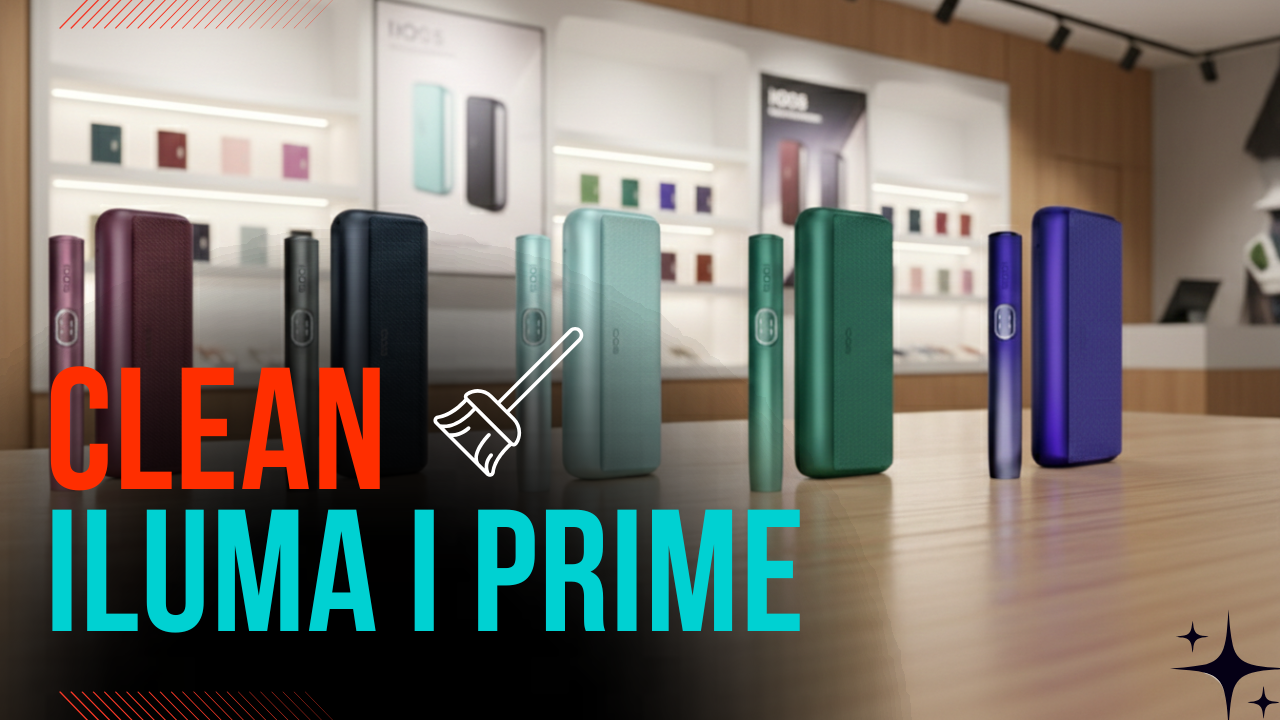
In the UAE, the IQOS ILUMA i Prime is more than just a heated tobacco device; it is a high-end tech accessory that sits alongside your smartphone and luxury watch. However, the premium materials that make it a lifestyle icon are also sensitive to the unique environmental challenges of the Emirates.
Between 45°C temperatures, fine desert dust, and constant humidity, your device requires a specific maintenance routine to stay functional. From the new glass touch interface to the vibrant Electric Purple finish, here is how you protect your investment in 2026.
Why Proper Cleaning Matters for ILUMA i Prime in the UAE
The “i” generation introduced a level of sophistication that demands careful upkeep.
- Touch Screen Sensitivity: The glass capacitive interface allows you to manage Pause Mode and check your FlexPuff status. Fingerprint oils combined with Dubai’s fine dust create a film that reduces swipe accuracy. If you find your gestures lagging, it’s likely a cleaning issue, not a software fault.
- Thermal Reality: In the UAE summer, heat causes the pores of the leather-like wraps to expand. This allows sweat, sunscreen, and hand oils to embed themselves into the fabric, leading to permanent discoloration or trapped odors if not wiped daily.
Critical Technical Clarification: No Internal Cleaning Required
Direct Answer: Do I need to clean the inside of the holder? No. Explanation: The SMARTCORE INDUCTION SYSTEM™ is entirely bladeless. Since the tobacco is sealed within the TEREA stick, no residue enters the device.
- Explicit Warning: Do not use legacy IQOS cleaning brushes or insert alcohol sticks inside the holder. Doing so can damage the induction sensors.
- The Only Check: Periodically inspect the USB-C port and charging contacts for lint or “humid dust” buildup that can slow down charging.
You can also check the new electric purple color of IQOS Iluma i Series in the UAE.
Understanding the Materials You’re Cleaning
To clean effectively, you must understand what you are touching:
- Touch Screen: A glass capacitive panel similar to a smartwatch screen.
- Metal Frame: High-grade anodized aluminum with a specialized UV-resistant coating designed for the UAE sun.
- Wrap Material: A leather-like, recycled synthetic fabric. It is not genuine animal leather, which means it requires pH-neutral care rather than traditional leather conditioners.
Step-by-Step Cleaning Guide (UAE-Safe Method)
Step 1: Mandatory Cool-Down
Direct Answer: Can I clean my device right after a session? No. Explanation: Never clean your device after leaving it in a parked car or after outdoor exposure. Heat increases material porosity; applying even a damp cloth to a hot device can cause the finish to streak or the wrap to warp.
Step 2: Touch Screen Care
Use a dry microfiber cloth only. Use a gentle, circular wiping motion. This restores the responsiveness of your gestures and removes the oil film that blocks the sensors.
Step 3: Metal Frame Cleaning
For the anodized aluminum, a dry wipe is all you need for daily care. Direct Answer: Should I use liquids? No. Explanation: Chemical cleaners can strip the UV-protective layer, leading to the metal becoming dull under the sun.
Step 4: Leather-Like Wrap Care
Use a slightly damp, pH-neutral cloth. Dab the material—never rub it harshly. Allow it to air dry indoors in an AC-cooled environment.
- Avoid: Genuine leather creams, oils, or waxes. These will make the synthetic fabric sticky and ruin the texture.
For troubleshooting tips, see this guide on Iluma i performance issues
Color-Specific Care Tips for ILUMA i Prime
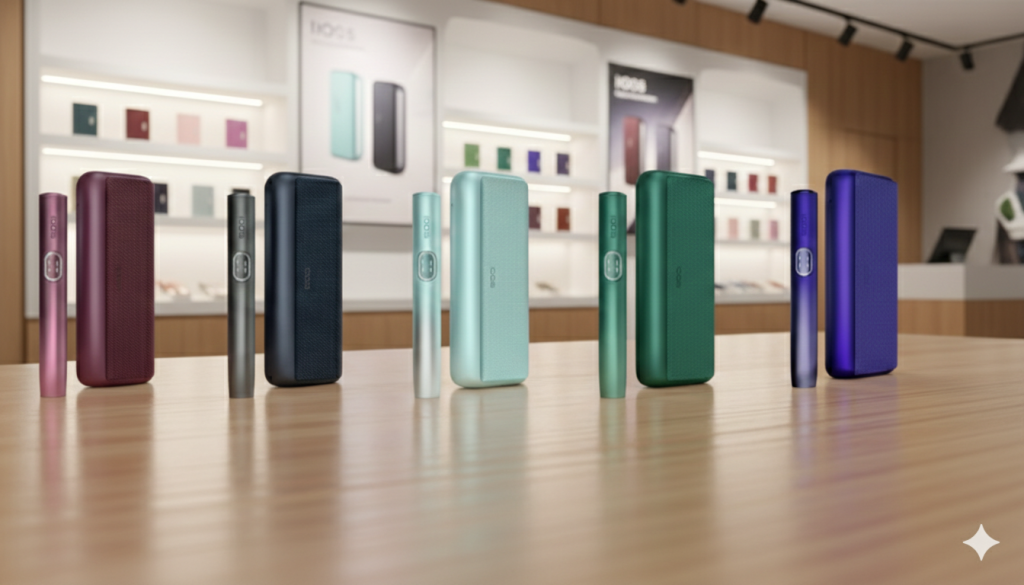
| Model | Maintenance Focus |
| ILUMA I Prime Aspen Green | Highly prone to color transfer from dark denim. Clean weekly to prevent staining. |
| ILUMA I Prime Breeze Blue | The lighter tone shows oil marks easily. Frequent light wiping is recommended. |
| ILUMA I Prime Electric Purple | The new Electric Purple has a light-reactive coating. Fingerprints are highly visible in sunlight; use a dry cloth daily. |
| ILUMA I Prime Garnet Red Purple | Deep tones hide dirt well but can fade if exposed to direct afternoon sun for long periods. |
| ILUMA I Prime Midnight Black | The most resilient to wear, but shows white dust easily. A 5-second daily wipe keeps it looking sharp. |
UAE Climate Survival Guide
Extreme heat accelerates the breakdown of decorative coatings.
- The Humidity Factor: During the high-humidity months of August and September, moisture can seep into the fabric texture of the wrap.
- Storage Hack: If you are spending time outdoors during these months, consider using a silicone sleeve.
- The Golden Rule: Never store your device near windows or on car dashboards.
Common Cleaning Mistakes to Avoid
- Hand Sanitizer: Never use alcohol-based sanitizers on your device. The alcohol slowly destroys the UV-resistant coating.
- Wet Wipes: Gym or car wipes often contain harsh chemicals that can cause the leather-like wrap to peel.
- Phone Cleaners: Many contain ammonia, which can damage the glass touch interface of the “i” series.
Touch Screen Troubleshooting Tip
If your Pause Mode doesn’t respond to your swipe, don’t assume the device is broken.
Direct Answer: What is the first diagnostic step? Cleaning. Explanation: Oils and dust are the #1 reason for gesture failure. Clean the screen thoroughly with a microfiber cloth before trying the gesture again.
Warranty & Authenticity in the UAE (2026 Update)
Your standard UAE warranty is 12 months, but you can often extend this to 24 months if you register the device within 30 days of purchase.
Direct Answer: Is cleaning damage covered? No. Explanation: Fading, scratches, or chemical damage caused by improper cleaning agents (like alcohol or bleach) are considered “user-induced” and are not covered by the local warranty.
To learn about the process, check this IQOS Iluma warranty guide
30-Second Nightly ILUMA i Prime Routine (UAE Edition)
Follow this “TL;DR” routine every night to keep your device in peak condition:
- The Screen Polish (10 sec): Dry microfiber, circular motion. Keeps Pause Mode responsive.
- The Heat-Check Wipe (10 sec): Dry wipe of the metal and wrap. Prevents sweat and sunscreen from reacting overnight.
- The Connection Clear (10 sec): Give a light air blow into the charging pins and USB-C port to prevent humid dust buildup.
Pro Tip: Never use hand sanitizer immediately before handling your device. Wait for your hands to be completely dry to protect the finish.
Is your device looking worn out? Explore our collection of authentic IQOS ILUMA i Prime wraps and accessories at TEREA Dubai for a fresh 2026 look!
FAQs
Can I use the old IQOS cleaning sticks inside the ILUMA i Prime?
No. The ILUMA i Prime is bladeless and does not create internal residue. Inserting cleaning sticks can damage the induction sensors and may void the warranty.
How do I remove a stain from my Aspen Green leather-like wrap?
Use a slightly damp cloth with a drop of mild, pH-neutral soap. Dab gently instead of rubbing, and let it air-dry indoors. Scrubbing can damage the synthetic surface.
My touch screen looks foggy. Can I use window cleaner?
No. Window cleaners often contain ammonia or vinegar, which can strip the protective coating on the glass. A dry microfiber cloth is the only safe option.
Why does my device feel sticky after being left in the car?
This happens when the outer coating reacts to extreme heat. It is a sign of heat exposure. Move the device to a cool, air-conditioned area and wipe it gently with a dry cloth once it cools down.