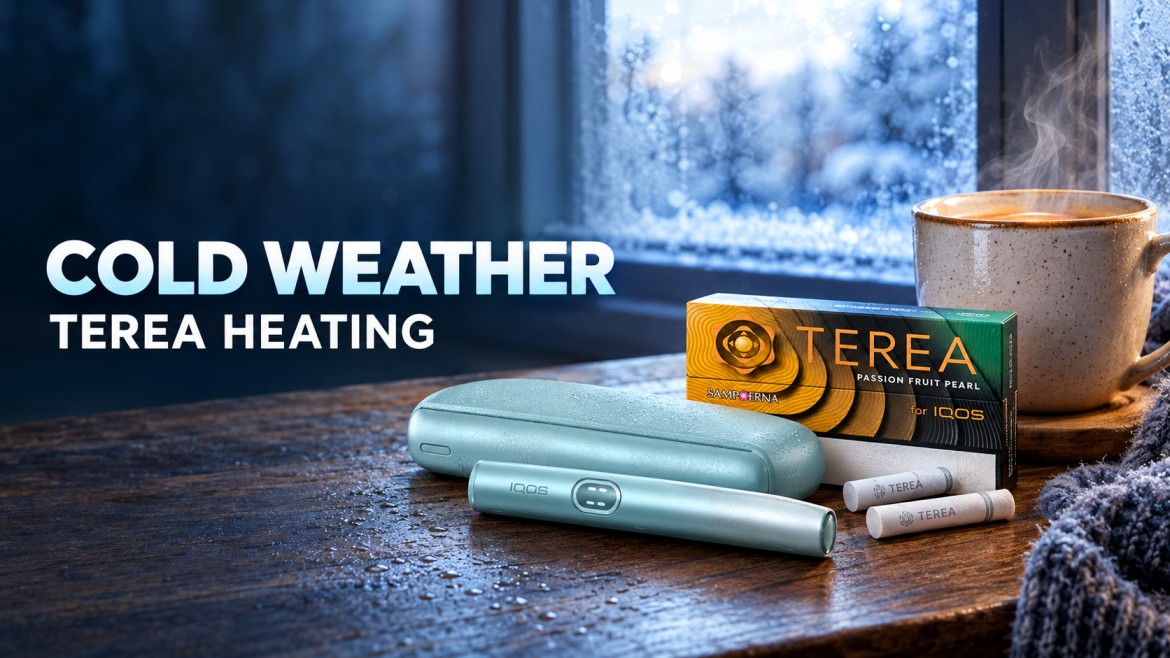
You step outside on a chilly morning, slide a stick into your holder, and nothing feels normal. The device takes longer to respond, the session stops early, or the aerosol looks thinner than usual. If that sounds familiar, you have run into cold weather TEREA heating performance issues, and you are not the only one.
The UAE does not get harsh winters, but you can still meet cold conditions. Desert nights drop fast, Jebel Jais gets close to freezing on winter evenings, and a trip abroad can put your device in real cold. Even a day in strong air conditioning with the device in an outer bag pocket can matter.
Low temperatures can affect both the electronic device and your session with a TEREA stick. Cold is only one possible cause, though. This guide shows you what cold does, how to tell it apart from a real fault, and how to keep your gear working safely. It applies to the IQOS ILUMA i ONE, the IQOS ILUMA i Standard, and the IQOS ILUMA i Prime. If you shop by flavor family, you can also browse TEREA Teak and TEREA Turquoise when you restock.
How Cold Weather Affects TEREA Heating Performance
IQOS ILUMA uses induction heating. The holder heats a metal element inside the TEREA stick, so no exposed blade enters the tobacco. This is a big reason the system heats evenly, and you can read more about that in our piece on heat distribution in TEREA.
Induction heating still needs a working battery and a device inside its safe temperature range. The manufacturer’s recommended operating range for IQOS ILUMA is 0°C to 40°C. Outside that range, the device can behave differently, and it may refuse to start a session at all.
Three factors shape your cold-weather experience:
- Battery performance. Cold slows the battery down.
- Device operating temperature. The holder must sit inside its allowed range to heat.
- The aerosol experience. Cold surroundings can change how a session feels and looks.
Cold causes temporary changes. A permanent technical fault looks different because it keeps happening after the device warms up indoors. Keep that distinction in mind as you read. Cold weather can change your session, but the exact symptoms depend on your device, its temperature, its battery condition, and how you use it.
4 Ways Cold Temperatures Can Affect IQOS ILUMA and TEREA
1. Reduced Battery Performance in Cold Weather
IQOS battery cold weather problems start with chemistry. Your holder uses a lithium-ion battery. Low temperatures slow the electrochemical reactions inside it, so the battery delivers less power than normal. You may see lower available capacity, sudden power limits, or a session that stops partway.
This reduction is temporary in most cases. A cold battery that performs badly outdoors usually recovers once it returns to a normal temperature. It does not mean the battery has permanent damage.
Battery age and charging habits also play a role. An older battery that has gone through many charge cycles feels the cold more than a new one. If your device struggles even at room temperature, cold weather is not your main problem.
2. Heating May Not Start Outside the Recommended Temperature Range
The device checks its own temperature before it heats. If it sits outside the permitted range, it can block the heating cycle. You might see a session that will not start, a cycle that stops, or a warning from the indicator lights.
Do not assume that a cold device simply heats more slowly. Some devices refuse to start until they warm up. Light patterns also differ between models, so you should not rely on one universal rule. Check the official user manual for your exact device. Our ILUMA user manual guide is a good starting point if you are new to the device.
3. Reduced Aerosol Production and a Different Sensory Experience
Cold surroundings can reduce aerosol performance. Many users notice less visible aerosol or a session that feels different. This is the TEREA stick cold temperature effect people talk about most. Ambient temperature influences the overall experience, and you do not need a complicated explanation to accept that.
Reduced aerosol alone does not prove that your stick or device is faulty. Flavor perception also shifts with conditions and timing. If you want to understand that better, read about why some flavors feel stronger in the morning than in the evening. And if the finish seems different on cold days, our post on flavor aftertaste explains what shapes it.
4. Shorter Sessions or Unexpected Interruptions
Cold-related battery limits can cut a session short. Low charge can do the same. You might notice the session ending earlier than expected, or the device failing to finish a normal cycle.
Other issues can produce the same symptoms. A stick inserted incorrectly, a worn battery, or a real device fault can all stop a session. So check the charge, the device temperature, and the model-specific troubleshooting steps before you blame the weather.
Why Is My IQOS Not Heating in Cold Weather?
If you are asking why your IQOS is not heating in cold conditions, you have three likely suspects. The device may sit outside its recommended operating range. The battery may have too little charge. Or the device may have a technical issue.
Start by moving the device somewhere warm and dry. Let it come back to its working temperature on its own. Pressing the button again and again will not fix a temperature problem, because the device will keep refusing until it warms up.
Next, look at the lights. A temperature warning and a low-battery signal can look different, but the patterns vary across ILUMA models. Flashing or pulsing white lights do not carry one meaning across every device. Open the manual for your exact model and match the pattern there.
Stop troubleshooting and contact official IQOS support if the device still fails after it warms up and you have confirmed the charge. Do not keep experimenting with a device that behaves strangely.
How to Improve IQOS ILUMA Winter Performance Safely
Good habits keep your IQOS ILUMA winter performance steady. These steps take little effort.
Keep the Device Within Its Recommended Temperature Range
Avoid long exposure to freezing air. When you go outside in the cold, carry the device in an inside pocket close to your body, as long as it fits the manufacturer’s instructions. Check the operating range for your model before you head out.
Let a Cold Device Warm Up Naturally
Bring the device into a dry, indoor space. Give it time to return to its normal range. Do not use direct heat or rapid temperature changes to speed things up.
Charge the Device According to Manufacturer Instructions
Check the battery level before you leave. Use a compatible cable and power adapter. Follow the manufacturer’s allowed charging temperature range, and do not charge a device that is too cold or too hot. Let it settle indoors first.
Store TEREA Sticks Properly
Keep sticks in their original closed pack. Store them in a clean, dry place at room temperature where you can. Avoid heat and moisture, and discard any stick that looks damaged. Moisture is a real risk during seasonal changes, so read what happens if a TEREA stick gets wet or damp before you ever try to save one.
Your flavour choice does not change these storage rules. Whether you pick TEREA Amber, TEREA Bronze, or TEREA Sienna, you store every pack the same way.
Check the Device Before Trying Another Session
Confirm the charge. Insert the stick the correct way. Check the indicator-light guide for your model. Contact official support if the device keeps misbehaving after it returns to its recommended range.
Safety note: Never warm a freezing IQOS device on a radiator, stove, open flame, or any other direct heat source. Rapid temperature changes and improper heating can damage the device and create safety risks. Do not use or charge a device that looks damaged or acts abnormally.
Cold-Weather TEREA Troubleshooting Guide
Use this table to match your symptom to a likely cause and a next step.
| Symptom | Possible explanation | Recommended next step |
|---|---|---|
| The device will not start outdoors | Temperature may be outside the recommended operating range | Move indoors and let the device return naturally to its range |
| The battery appears to drain faster | Cold-related battery reduction or battery wear | Let the device warm up and check its charge |
| Less visible aerosol | Cold conditions or another performance issue | Check storage conditions and follow the manufacturer’s instructions |
| The session ends unexpectedly | Low charge, cold conditions, or a device fault | Check the battery and read the model-specific troubleshooting guide |
| The white indicator light flashes or pulses | Meaning depends on the model and the light pattern | Check the official user manual for your exact device |
| Heating issues continue indoors | Possible charging, battery, or device fault | Contact official IQOS customer support |
These symptoms are clues, not final diagnoses. Your device documentation should guide every troubleshooting step.
When Should You Stop Troubleshooting?
Stop using the device if you see visible damage, swelling, unusual heat, or smoke. Do not open the device, and do not try to repair the battery. Follow the manufacturer’s safety instructions and contact official support. If your device runs hot rather than cold, our guide on troubleshooting overheating in ILUMA devices covers that separate problem. One symptom alone should never decide your diagnosis.
Thermal Shock and Other Cold-Weather Safety Mistakes to Avoid
Direct heat is not a safe way to warm a cold electronic device. Keep the holder away from open flames, heaters, stoves, and other intense heat sources. A sudden jump from freezing to hot puts stress on the device, and it can hurt the battery and internal parts.
Do not charge a device outside its permitted charging temperature range. Do not open the device, do not attempt battery repairs, and do not push tools into the heating chamber. If you see damage, swelling, unusual heat, or smoke, stop using the device and follow the manufacturer’s safety guidance.
We do not claim that every rapid temperature change will destroy a battery. The risk depends on how extreme the change is and on the device’s condition. The safe habit is simple: let the device return to its recommended temperature range on its own instead of rushing it.
Does Cold Weather Permanently Damage TEREA or IQOS ILUMA?
Usually not. Temporary cold-related changes do not mean permanent damage. A battery that performs poorly in the cold normally recovers when it warms up. Long-term battery wear is a separate issue, and it comes from age and charge cycles, not from one chilly morning.
Still, avoid leaving your device or sticks in unsuitable temperatures for long stretches, and keep them away from moisture. Once the device returns to its recommended operating range, check the battery level and run through the normal troubleshooting steps.
Contact official customer support if the heating problem persists or the device shows signs of damage. Do not assume the weather ruined your device, and do not assume a persistent problem will fix itself.
Frequently Asked Questions About TEREA and Cold Weather
Can You Use TEREA in Cold Weather?
Yes, as long as the device stays within its recommended operating range. The manufacturer lists 0°C to 40°C for IQOS ILUMA. Cold outdoor conditions can change performance, so keep the device warm before you use it.
Why Is My IQOS Not Heating in Cold Weather?
The device may sit outside its operating range, hold too little charge, or have a technical fault. Let it return to its normal range naturally and check the indicator-light guide for your model.
Does Cold Weather Drain an IQOS Battery Faster?
Yes, it can. Low temperatures temporarily reduce what a lithium-ion battery can deliver. Battery age, condition, and charging habits also affect how it performs.
Why Does My TEREA Stick Produce Less Aerosol in Winter?
Cold outdoor conditions can reduce aerosol performance. That does not mean the stick is defective. Check that the device is warm, charged, and used correctly before you blame the stick.
How Should I Store TEREA Sticks During Winter?
Keep them in their original closed pack in a clean, dry place at room temperature where you can. Avoid heat and moisture, and follow the packaging instructions. Every colour family follows the same rule, including TEREA Yellow and TEREA Silver.
Can I Warm My IQOS ILUMA With a Heater?
No. Direct heat can damage the device and create safety risks. Let it return to its recommended temperature on its own.
What Does a Flashing White Light Mean on IQOS ILUMA?
It depends on the model and the exact light pattern. Check the official user manual for your device instead of assuming every flashing white light means the same thing.
Where to Buy TEREA Sticks and ILUMA Devices in the UAE
If a cold-weather mishap left you with a damaged pack or a device you want to replace, buy from a seller you trust. TEREA Dubai supplies TEREA flavors and IQOS devices across the UAE, and it groups the range by colour family so you can choose quickly. Browse TEREA Oasis Pearl, TEREA Purple Wave, and TEREA Sun Pearl if you want to try something new, and read the latest flavor drops to see what just arrived.
Not sure which taste suits you? Our explainer on smooth vs harsh flavors helps you narrow it down. The range also includes IQOS BONDS devices and blends for IQOS BONDS if you want to look beyond ILUMA.
When your order arrives, store it indoors in a cool, dry spot, not in a cold car or an outer jacket pocket.
Conclusion: Understand Your Device’s Limits in Cold Weather
Three things shape cold weather TEREA heating performance: how the battery responds, whether the device sits inside its operating temperature, and how much aerosol you get. Follow the manufacturer’s operating, charging, and storage guidance. Never warm the device with direct heat. And do not blame the weather for every problem. If your IQOS ILUMA keeps malfunctioning after it returns to its recommended temperature range, contact official IQOS support and let them check it.