Replace your IQOS ILUMA when several battery signs show up together and a clean, an official cable and a reset do not fix them. That is the simple answer to when to replace IQOS ILUMA. There is no official lifespan number, because the battery is a consumable part that wears with use. Battery wear is also not covered by warranty, so check your warranty dates before you decide.
Your IQOS ILUMA battery life depends far more on heat, charging habits and how often you use it than on the age of the device. This guide helps you work out what is normal, what you can fix, and when a new device is the smarter move. Follow the steps in order and you will not spend money you do not need to spend.
How Long Does an IQOS ILUMA Battery Last?
Nobody can give you an exact date. The IQOS ILUMA lifespan is not published as a number, and the battery counts as a consumable part, so slow wear is normal and is not a defect.
You will see sellers quote anything from 12 months to 2 years for how long an IQOS ILUMA lasts. Those figures do not agree with each other, and none of them come from IQOS. Treat them as guesses.
What really sets the pace is simple:
- How many sessions you use every day
- How hot the device gets, in the car, in the sun, or while charging
- Whether you charge it with the official adapter and cable
So skip the calendar and watch for signs instead.
Know Your Normal First
You can only spot a drop if you know what a healthy device does. Here is what each model should give you on a full charge.
| Device | Normal Uses From the Holder | Good to Know |
|---|---|---|
| IQOS ILUMA and ILUMA Prime | 2 uses | Then the Holder goes back into the Pocket Charger |
| IQOS ILUMA i Prime, ILUMA i Standard | Up to 3 uses | In Performance Mode |
| IQOS ILUMA i ONE | Up to 20 uses in a row | All-in-one device |
| IQOS ILUMA One | Check your user guide | Use the figure printed for your model |
A few more numbers worth keeping in mind:
- A session lasts 6 minutes or 14 puffs, whichever comes first
- A Pocket Charger takes about 2 hours 15 minutes to fully charge on ILUMA Prime, and about 135 minutes on ILUMA i
- The Holder gets one use back in about 1 minute 50 seconds on ILUMA and ILUMA Prime
- If the device is completely empty, it can take up to 20 minutes before any light shows
Tips: If your IQOS ILUMA holder dies after two sticks on an ILUMA or ILUMA Prime, ILUMA Standard relax. That is normal. Put it back in the Pocket Charger.
How to Check IQOS ILUMA Battery Health First
Before you judge the battery, test it. A simple check takes a few days and tells you far more than a single bad session. It is the easiest way to see your real IQOS ILUMA battery health.
- Step 1: Charge everything to full: Put the Holder in the Pocket Charger and charge the Pocket Charger with the official adapter and cable until it is full.
- Step 2: Check the Pocket Charger: Press the button once, quickly. Four white lights mean full. Three mean up to 75%, two mean up to 50%, and one means up to 25%.
- Step 3: Check the Holder: On the ILUMA and ILUMA Prime, the status lights on the Holder show its battery level. On the ILUMA i, the touch screen shows how many uses are left, and it shows 0 when none are left.
- Step 4: Count your uses: Use the device as normal and write down how many sessions you get before the Holder needs the Pocket Charger.
- Step 5: Time the charge: Note how long the Pocket Charger takes to reach full, then compare it with the official time in the list above.
- Step 6: Repeat for two or three days: One test can mislead you. A pattern will not.
- Step 7: Compare with your normal: Check your numbers against the table above. If you are clearly below it, move on to the signs and fixes below.
Six Battery Signs to Watch
- Fewer uses per charge: You used to get your full number, and now you get one or two less. When an IQOS ILUMA battery drains fast like this, it is the clearest early sign.
- It will not hold a full charge: The lights look full after charging, then drop within a short time. This is the classic IQOS ILUMA not holding charge problem.
- Charging takes much longer: If IQOS ILUMA charging is slow even with clean contacts and the official adapter, the battery may be tired.
- It shuts off mid-session: The lights showed charge, but the Holder stops anyway. A dying IQOS ILUMA battery often does this.
- Constant temperature warnings: Two white blinks again and again, even indoors, is not normal.
- The problem comes back after a reset: You fix it, and a day or two later it returns.
One sign alone is not a verdict. Two or three together, after you try the fixes below, point to a worn battery.
Rule Out the Easy Fixes First
A lot of “dead battery” cases turn out to be dirt, a poor cable or a small glitch. Work through these steps in order.
- Give it time: If your IQOS ILUMA is not turning on, charge it and wait up to 20 minutes before you judge it.
- Use the official adapter and cable: Avoid laptops and power banks. This fixes many cases of an IQOS ILUMA not charging.
- Clean the contacts: Wipe the contacts on the Holder and inside the Pocket Charger with a soft, dry cloth.
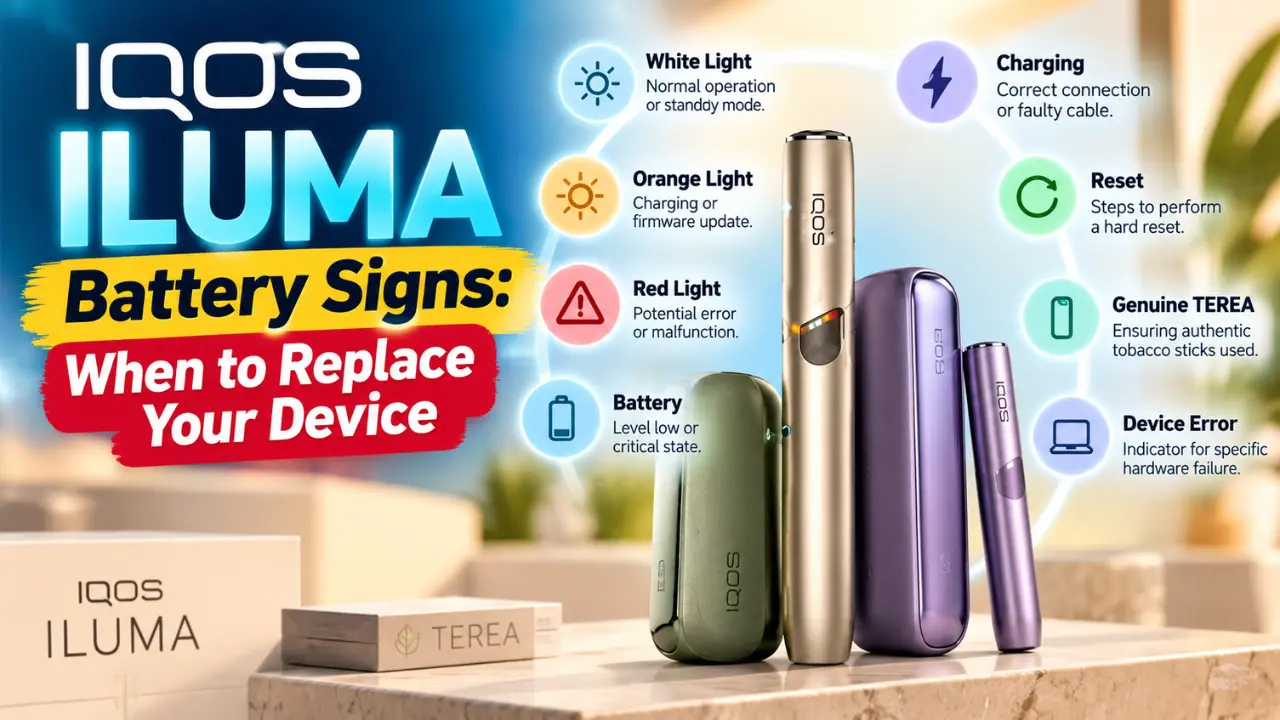
- Reset it: Put the Holder in the Pocket Charger, hold the button for 10 seconds, then let go. The lights go off and blink to confirm. Our 10 second reset guide shows it for each model.
- Read the lights: Yellow blinking means the battery is empty, so recharge it. White blinking twice means it is too hot or too cold, so let it settle. A red light means a fault or a failed update, so reset it. Our red light guide goes deeper on that one.
If the signs are still there after all five steps, the battery is the likely cause.
Warranty, Repair or Replace?
Check your warranty before you spend anything. It changes the whole decision.
- The warranty is 1 year
- Register your device within 30 days to get an extra year on eligible models, and the official UAE page lists ILUMA ONE with the standard 1 year
- Battery wear is not a manufacturing defect, so it is not covered
That is why people ask, “Is the battery covered by the IQOS warranty?” The answer is no for normal wear, and yes if the device has a real manufacturing fault.
| Your Situation | What to Do |
|---|---|
| Manufacturing fault inside the warranty | Make a warranty claim |
| Battery slowly fading with age | Not covered, so plan a replacement |
| Accidental damage | Covered only for a registered ILUMA i Prime |
| Several signs after cleaning and a reset | Replace the device |
In Dubai, the IQOS Dubai Mall boutique handles in person support, and IQOS customer service in the UAE is open daily from 9:00 am to 7:00 pm. If you are searching for IQOS repair in Dubai, that is the official place to start. Our guide on how to claim your IQOS ILUMA warranty in the UAE walks you through a claim.
One more thing. Under warranty, a device is normally replaced with the same model, so an ILUMA does not turn into an ILUMA i. Ask IQOS support to confirm for your own case.
Why Dubai Heat and Dust Wear Batteries Faster
Dubai is hard on batteries. Here is the problem and the fix for each cause.
- Heat: IQOS devices work best between 0 and 40°C. A parked car or direct sun in summer can pass that easily, so an IQOS ILUMA left in the car is the fastest way to stress a battery. Take it with you.
- Heat while charging: If two white lights blink, let the device cool before you charge it.
- Dust: Sand and dust in Dubai build up on the contacts. Wipe them every week and charging stays steady.
How to Make Your Next ILUMA Last Longer
Whichever device you pick, these habits help it last longer:
- Charge with the official adapter and cable
- Keep it cool and out of the car
- Wipe the contacts every week
- Register the device within 30 days of buying it
If you own an ILUMA i or ILUMA i Prime, there is one more trick. Eco Mode gives you one use of up to 6 minutes, with no Pause Mode, and it can extend the Holder battery life by up to a year. That only works if you use Eco Mode fully for the whole life of the Holder. Our Eco Mode guide shows how to switch it on.
Which IQOS ILUMA Should You Buy Next?
If you are ready to upgrade from your IQOS ILUMA to an ILUMA i, or you simply want the best IQOS ILUMA to replace your old ILUMA, match the device to how you use it.
- Heavy daily use: the IQOS ILUMA i One gives up to 20 uses in a row, and there is no Pocket Charger to carry
- Two-piece with a touch screen: the IQOS ILUMA i Standard or the IQOS ILUMA i Prime
- Want a color that stands out: Electric Purple is available for the ILUMA i One, ILUMA i and ILUMA i Prime
Not sure which one fits? Our IQOS ILUMA device buying guide compares them side by side.
Where to Buy a Genuine IQOS ILUMA in Dubai and the UAE
Ready to buy IQOS ILUMA in Dubai? Terea Dubai stocks genuine IQOS ILUMA devices, so you get the real thing with the warranty it should carry. Delivery is fast across Dubai, Abu Dhabi, Sharjah, Ajman, Ras Al Khaimah, Fujairah, Umm Al Quwain and Al Ain.
Frequently Asked Questions
How long does an IQOS ILUMA battery last?
There is no official number. Wear is normal, and it depends on how often you use it, how hot it gets and how you charge it. Judge by the signs, not by age.
How do I know if my IQOS battery is dying?
Look for fewer uses per charge, a battery that will not hold a full charge, much slower charging, shutdowns mid session, constant temperature warnings, and problems that return after a reset.
Why does my IQOS ILUMA die so fast?
Check the basics first: the official cable, clean contacts and heat. Also remember an ILUMA or ILUMA Prime Holder gives only 2 uses. If it still dies fast after that, the battery is likely worn.
Why is my IQOS ILUMA not holding a charge?
Dirty contacts, an unofficial cable or a small glitch can cause it. Clean the contacts and reset the device. If it keeps happening, the battery is the likely cause.
How long does an IQOS ILUMA take to charge?
A Pocket Charger takes about 2 hours 15 minutes on ILUMA Prime and about 135 minutes on ILUMA i. If it is totally empty, wait up to 20 minutes for the lights.
Does the IQOS warranty cover the battery?
No. Normal battery wear is not a manufacturing defect, so it is not covered. A real manufacturing fault is covered.
Can I replace the battery in an IQOS ILUMA?
The official UAE support pages do not list a battery replacement service. Warranty covers repair or replacement of a faulty Holder or Pocket Charger. For a worn battery, the practical fix is a new device. You can confirm with IQOS support.
What does the red light on my IQOS ILUMA mean?
A red light means a fault or a failed update. Put the Holder in the Pocket Charger and hold the button for 10 seconds to reset it.
Can Dubai heat damage my IQOS ILUMA?
Yes, it can stress the battery. The device works best between 0 and 40°C, so never leave it in a hot car or in direct sun.
Can I swap my ILUMA for an ILUMA i under warranty?
Normally a device is replaced with the same model. If you are buying new, you can choose any model you like.
Where can I get IQOS support in Dubai?
Visit the IQOS boutique at The Dubai Mall, or call IQOS customer service in the UAE, open daily from 9:00 am to 7:00 pm.
Conclusion
You do not need a calendar to know when your IQOS ILUMA is done. Learn your normal, rule out the easy fixes, check your warranty, and replace the device when several signs stay after all that. In Dubai, keep it cool and clean to get the most from the next one. It is a nicotine product, so it is for adult users only.
Safety Notice: IQOS ILUMA is used with tobacco products that contain nicotine, which is addictive. It is strictly for adult users only.