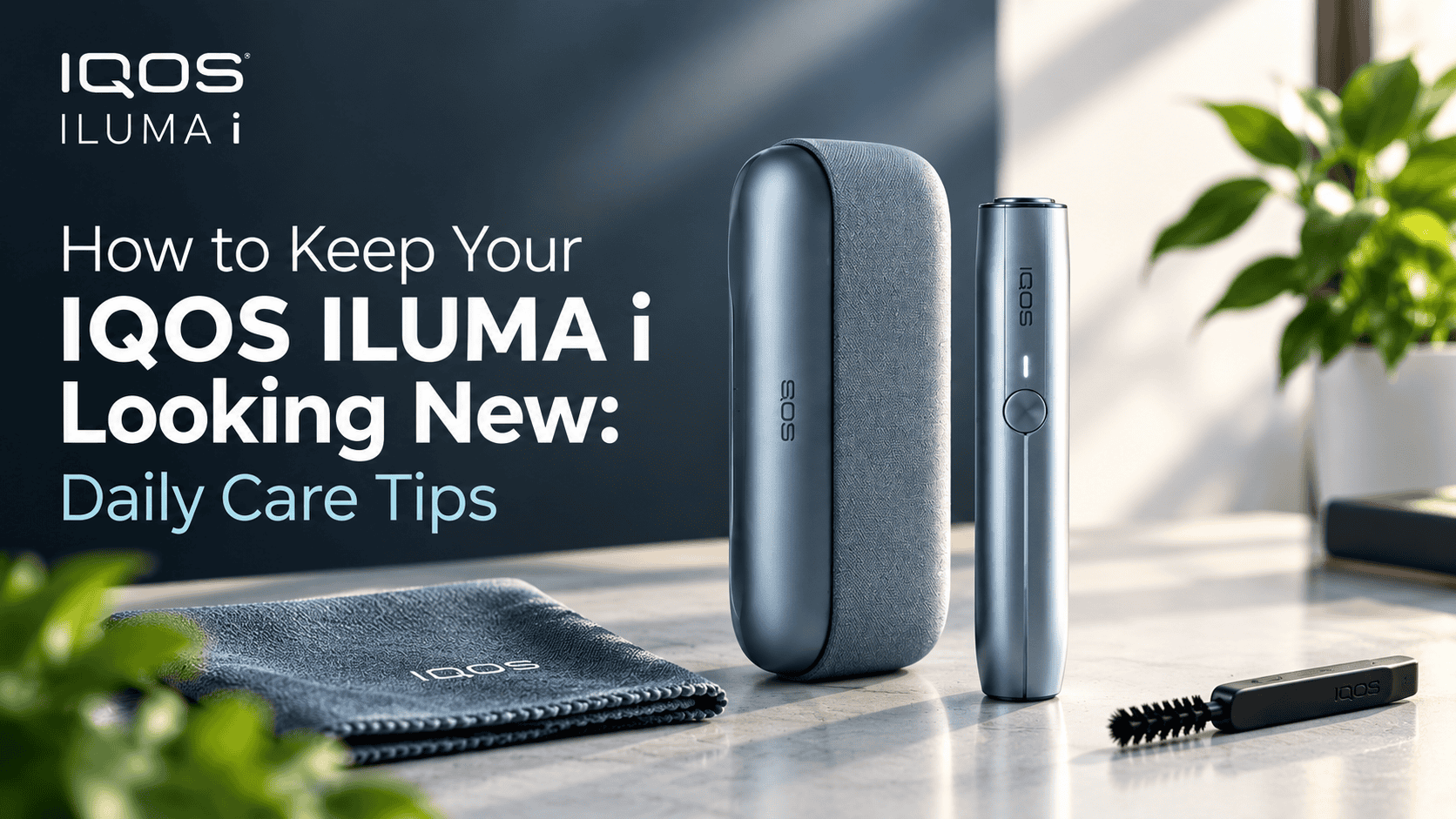
The IQOS ILUMA i is built for daily use. Whether you carry the ILUMA i ONE, the ILUMA i Standard, or the ILUMA i Prime, the device goes where you go. Pockets, handbags, car consoles, office desks. Over time, fingerprints, dust, lint, micro-scratches, and moisture start to show. The good news is that keeping your IQOS ILUMA i looking new does not require any complicated routine. A few small habits, repeated consistently, are all it takes.
The ILUMA i uses SmartCore Induction Heating, which means there is no blade inside and no internal residue to clean. That part is handled by design. What this guide focuses on is the outside: the body, the charging case, the accessories, and the everyday handling habits that keep the device looking and feeling like it did on day one. If you want to understand why the ILUMA i requires no internal cleaning at all, that guide breaks it down.
Wipe Your IQOS ILUMA i After Every Few Sessions
Why a Quick Wipe Matters
Your hands touch the device dozens of times a day. Natural oils from your skin, combined with Dubai’s heat and humidity, leave a film on the surface that dulls the finish over time. A quick wipe after every few sessions prevents this buildup before it becomes noticeable. It takes less than ten seconds and makes a visible difference within the first week of doing it consistently.
How to Wipe It Properly
Use a clean, soft, lint-free cloth. Microfiber works best. Gently wipe the entire exterior of the holder and the pocket charger, paying extra attention to the edges, seams, buttons, and the area around the opening where you insert TEREA sticks. Avoid rough materials like paper towels, tissue, or kitchen rags. These can leave micro-scratches on the surface, especially on the matte or metallic finishes of the ILUMA i Prime.
Keep Dust and Debris Away From the Device
Common Sources of Dust and Lint
If your IQOS ILUMA i lives in your pocket, it shares space with lint, sand, and small debris. In the UAE, fine desert dust is everywhere, especially during the hotter months. Handbags are no better. Coins, keys, receipts, and loose items rub against the device throughout the day. Desk drawers and car compartments collect dust faster than most people realize.
How to Prevent It
The simplest fix is to give the device its own space. A dedicated pocket, a small pouch, or a protective case keeps it separated from everything else you carry. Before putting the device away, give it a quick visual check. If you spot dust, lint, or sand, a light brush with your fingers or a soft cloth clears it before it settles into seams or the charging port. This habit is especially useful for users in Dubai, Abu Dhabi, and Sharjah where airborne dust is a year-round reality. The right IQOS accessories can also help protect the device during daily carry.
Clean the Charging Case Carefully
Why the Case Matters
The pocket charger is the first thing you see every time you pick up your IQOS ILUMA i. Scratches, fingerprints, and dust on the case affect how the device looks overall, even if the holder inside is spotless. The charging contacts inside the case also need to stay clean for reliable performance. Dust or grime on the contacts can interfere with charging, which leads to frustrating sessions when your device is not fully ready.
How to Clean It
Wipe the exterior of the case with the same soft, dry cloth you use for the holder. For the inside, use a dry cotton swab to gently clean around the charging contacts. Do this once a week at minimum. Avoid blowing into the case, as this pushes moisture and saliva into the charging area. Never use compressed air directly on the contacts. Keep it simple, keep it dry, and follow what the manufacturer recommends. For a full charging and usage walkthrough, read the IQOS ILUMA i charging guide.
Avoid Harsh Cleaning Products
What Not to Use
Stronger cleaning products are not better for electronic devices. Bleach, abrasive sprays, alcohol-based wipes, window cleaners, and strong solvents can strip protective coatings, discolor the surface, and damage internal components if any liquid seeps inside. Rough cleaning pads and scouring sponges leave scratches that cannot be reversed.
What to Use Instead
A soft, dry microfiber cloth is all you need for daily IQOS ILUMA i cleaning. If you feel the need for a slightly deeper clean, a lightly dampened cloth (not wet, just barely damp) can work for stubborn fingerprints on the exterior only. Always check the manufacturer’s current care instructions before using anything beyond a dry cloth. When in doubt, dry and gentle is always the safer choice.
Keep Your IQOS ILUMA i Away From Water and Moisture
Common Moisture Risks in the UAE
Living in the UAE means dealing with humidity, condensation, and sudden rain during winter months. Common situations where your device might get exposed include rain while walking, wet hands after washing, spilled drinks at a cafe, damp gym bags, and bathroom counters after a shower. Air-conditioned environments also create condensation when you move the device rapidly between cold indoor air and hot outdoor temperatures.
What to Do If It Gets Wet
Move the device away from the moisture source immediately. Gently wipe the exterior with a dry cloth. Let it air dry naturally at room temperature. Do not use a hair dryer, do not place it on a heater, and do not try to speed up the drying with any heat source. If you suspect liquid entered the device through the charging port or stick opening, stop using it and follow the manufacturer’s guidance. Continuing to use a moisture-exposed device can cause internal damage that is not covered under normal care. Check the IQOS ILUMA warranty guide to understand what is and is not covered.
Protect the Device From Scratches and Scuffs
Prevention Is Easier Than Repair
Once a scratch appears on your IQOS ILUMA i, it stays. There is no buffing it out on these finishes. The easiest way to keep the device scratch-free is to never carry it loose alongside keys, coins, pens, or other hard objects. When you set it down, choose a clean, smooth surface. Avoid concrete, rough wood, or textured countertops.
Consider a Protective Case
A compatible protective case or silicone sleeve adds a physical barrier between the device and the outside world. It absorbs the small impacts and friction that cause scuffs over time. For users who carry the ILUMA i in a bag or pocket all day, a case is the single most effective investment in keeping the device looking new. Many options are available in the UAE market, from slim silicone sleeves to leather pouches. Browse the best IQOS accessories to extend device life for recommended options.
Store Your IQOS ILUMA i Properly
Where to Store It
When you are not using the device, where it sits matters. A clean drawer, a dedicated desk compartment, a dry shelf, or a protective case are all good choices. The key is keeping the device in a clean, dry, indoor location where it is not exposed to direct sunlight, extreme heat, or other objects pressing against it.
What to Avoid
Do not leave the device on a car dashboard in the UAE summer. Interior temperatures can exceed 70°C, which damages the battery, warps plastic components, and degrades the finish. Avoid storing it near windows where sunlight hits directly. Skip humid locations like bathrooms and kitchens. The same heat that damages your device also affects your TEREA sticks. Read these TEREA storage tips for UAE heat and 10 smart ways to protect your sticks from Dubai heat for full guidance on keeping everything fresh.
Take Care of the Charging Cable and Accessories
Cables Need Attention Too
IQOS ILUMA i maintenance goes beyond the main unit. The charging cable is the most commonly neglected accessory. Sharply bending the cable at the connector, wrapping it too tightly, or yanking it from the device wears it out faster than normal use. Keep the cable loosely coiled when stored. Check the connectors regularly for dust or lint, and wipe them with a dry cloth if needed.
Keep the Charging Area Clean
Wherever you charge your device, that spot collects dust. A nightstand, a desk, or a kitchen counter all accumulate particles that end up on the cable, the connector, and eventually inside the charging port. A quick wipe of the charging area once a week prevents dust from migrating into the device. Small habit, big difference over months of daily charging.
Give Your IQOS ILUMA i a 30-Second Daily Check
Building a short daily routine keeps everything in check without feeling like a chore. Before you put the device away for the night, run through this quick checklist:
- Wipe the exterior: Quick pass with a microfiber cloth
- Remove fingerprints: Focus on the holder and case edges
- Check for dust or lint: Look at the stick opening and charging port
- Check for moisture: Especially after outdoor use in humid conditions
- Inspect the charging case: Clean interior contacts if dusty
- Store safely: Separate from keys, coins, and loose items
Thirty seconds. That is all it takes. Users who follow this nightly routine consistently report that their IQOS ILUMA i looks noticeably better after months of use compared to devices that only get cleaned when problems appear.
Follow a Simple Weekly Cleaning Routine
Once a week, take two minutes for a slightly more thorough inspection. This is not a deep clean. It is a visual and tactile check that catches anything your daily routine might have missed.
- Inspect the device from all sides: Look for new scratches, scuffs, or discoloration
- Wipe the full exterior: Holder, case, lid, and hinge area
- Clean inside the case: Dry cotton swab on charging contacts
- Check the charging cable: Look for fraying, bent connectors, or debris
- Look for moisture signs: Condensation, water spots, or dampness
- Store everything properly: Cable coiled, device in its case or dedicated spot
More cleaning is not always better. Do not disassemble the device, do not push cleaning tools into openings, and do not try to access internal components. If something seems off, stop and consult official support rather than attempting a DIY fix.
What to Avoid When Cleaning Your IQOS ILUMA i
This section is worth reading carefully because some common instincts can actually cause damage.
- Do not scrape: Never use sharp objects, toothpicks, or metal tools to remove debris
- Do not submerge: The device is not waterproof. Never rinse it under a tap or dip it in liquid
- Do not pour liquid: Even a small amount of water poured directly onto the device can reach internal circuits
- Do not use household chemicals: Bleach, ammonia, acetone, and alcohol are all off-limits
- Do not apply heat: Hair dryers, heaters, and direct sunlight are not drying tools for electronics
- Do not force open: If the case feels stuck or a component is not moving, do not force it. Forcing causes cracks and permanent damage
- Do not disassemble: Opening the device yourself voids any warranty protection and risks damaging the induction heating system
If the device shows visible damage, unusual behavior, charging problems, or signs of liquid exposure, these are not cleaning issues. If your device is overheating, showing unusual light signals, or not performing well, those guides cover the right troubleshooting steps. You can also try a quick 10-second reset before contacting support.
How to Keep Your IQOS ILUMA i Looking New: Quick Summary
| Habit | Why It Matters | How Often |
|---|---|---|
| Wipe the exterior | Prevents fingerprint and oil buildup | After every few sessions |
| Store separately | Avoids scratches from keys, coins, and hard objects | Every time you put it away |
| Keep it dry | Prevents moisture damage and corrosion | Always |
| Clean charging contacts | Ensures reliable charging and connection | Weekly |
| Use a protective case | Shields against daily wear and micro-impacts | Daily use |
| Avoid harsh cleaners | Protects surface coatings and internal components | Always |
| Check the cable | Prevents fraying and connector damage | Weekly |
Common Questions About IQOS ILUMA i Care
Can I use water to clean my IQOS ILUMA i?
Avoid it. A barely damp cloth can work on stubborn fingerprints, but never pour, spray, or rinse water onto the device. Always follow the manufacturer’s instructions.
How do I remove fingerprints from my IQOS ILUMA i?
Gently wipe the exterior with a clean microfiber cloth. For matte finishes, use light circular motions. For glossy surfaces, straight strokes work better to avoid smearing.
How can I prevent scratches on my IQOS ILUMA i?
Never carry it loose with keys or coins. Use a protective case or dedicated pocket. Set it down on smooth, clean surfaces only.
Can I use alcohol or household cleaners on my IQOS ILUMA i?
No. Alcohol, bleach, ammonia, and other chemicals can strip surface coatings and damage internal components. Always check the manufacturer’s current care instructions first.
Where to Buy Best Priced Iluma i in Dubai?
Buy from Our Terea Dubai Online shop with fast 1-2 hour delivery in Dubai.
How should I store my IQOS ILUMA i in the UAE?
In a clean, dry, air-conditioned indoor location. Never on a car dashboard, near windows with direct sunlight, or in humid areas like bathrooms. UAE summer heat is especially damaging to batteries and finishes.
Can I take apart my IQOS ILUMA i to clean it?
No. The device is not designed for user disassembly. Opening it yourself can damage the induction system and voids any warranty.
Does the UAE climate affect IQOS ILUMA i maintenance?
Yes. High temperatures, humidity, airborne sand, and rapid temperature changes between outdoor heat and indoor air conditioning all put extra stress on the device. Proper storage and regular exterior care matter more here than in cooler, drier climates.
My IQOS ILUMA i is not performing well after cleaning. What should I do?
Cleaning the exterior should not affect performance. If the device feels off, check the tips to improve ILUMA i performance or try a quick reset before contacting support.
Can I travel with my IQOS ILUMA i?
Yes, but airport and airline rules apply. Read the full IQOS travel rules and airport guidelines before your next trip.
Final Thoughts
Keeping an IQOS ILUMA i looking new comes down to consistency, not effort. A quick wipe after sessions, a weekly check, proper storage, and a protective case will do more for your device than any deep clean ever could. The UAE’s heat, dust, and humidity make these habits even more important than they would be in a milder climate. Treat the device well, and it stays looking and performing like new for a long time. For broader device safety, review these safety tips for IQOS devices.
Need TEREA sticks for your ILUMA i? Browse the best TEREA flavors for IQOS ILUMA users or explore the top TEREA flavors for menthol lovers in Dubai.