If you own an IQOS ILUMA, you already know it doesn’t have a screen. It talks to you through light. And when that light suddenly changes color or starts blinking in a pattern you’ve never seen before, it’s normal to feel a bit worried. Is it broken? Do you need a new one? Or is this just something the device does every day and nobody explained it properly?
This guide walks through the most common IQOS ILUMA light problems one at a time, in the order people actually run into them, and gives you the real fix for each one. No guessing, no scary warnings for things that are actually normal.
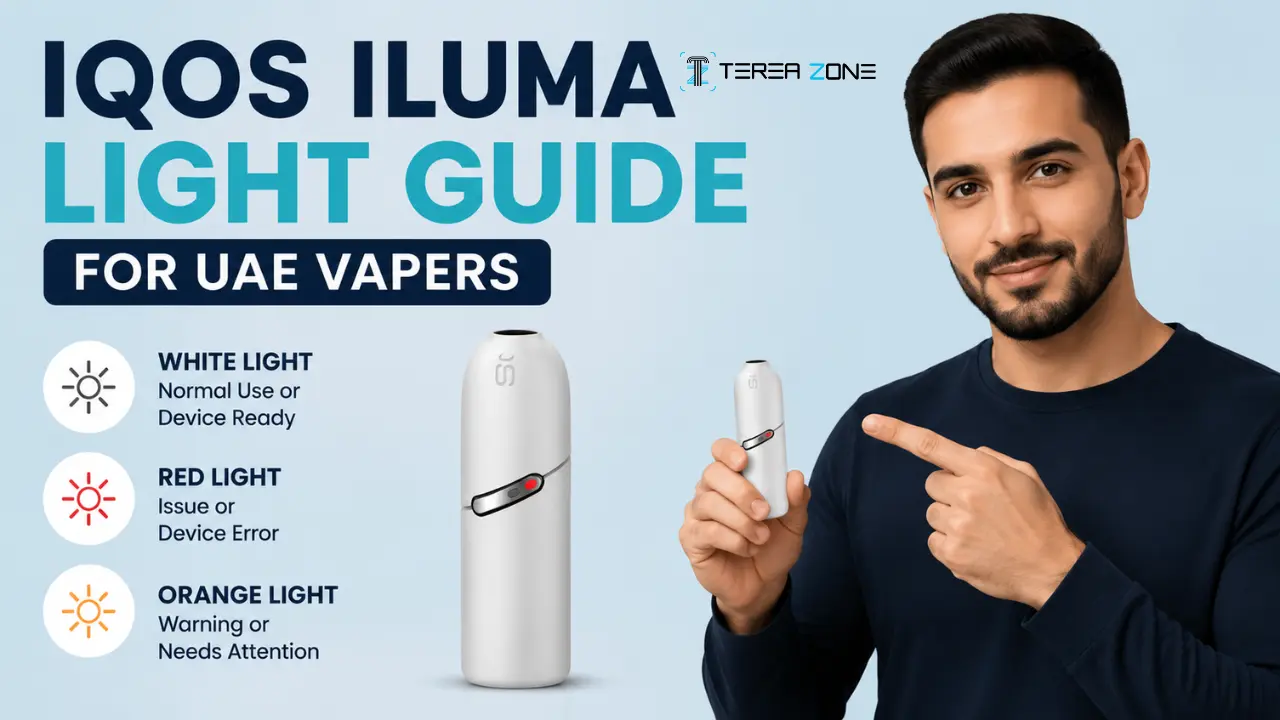
Quick answer: White light on your IQOS ILUMA usually means everything is working fine, whether it’s heating, charging, or just showing your battery level. Orange or yellow blinking simply means it’s time to charge. Red means the device wants your attention, most often a quick reset. No light at all almost always comes down to power or a loose connection.
Let’s go through each situation properly.
Problem 1: The White Light Keeps Pulsing and You’re Not Sure If That’s Normal
You just inserted a TEREA stick, and the light on the holder starts pulsing softly. Naturally, you wonder if something is wrong.
The solution: This is completely normal. A pulsing white light means one of two things. Either your TEREA stick is heating up and getting ready for you to use it, or your session is about to end. Either way, no action is needed. Just wait a few seconds for the pulsing to settle before you start drawing.
You’ll also see stationary white lights if you give the holder button a short press. That’s simply your battery check. Two lights mean you have enough charge for two heated tobacco sessions back to back. One light means you have enough for one more session before you’ll need to recharge.
Problem 2: The White Light Blinks in a Strange Pattern and Won’t Settle
This one trips up a lot of people, especially first time IQOS ILUMA users. The white light blinks a certain number of times, then stops, and nothing seems to happen after that.
The solution:
- Let the device rest at normal room temperature before using it.
- Wait 5 to 10 minutes if it has been exposed to extreme heat or cold.
- Avoid using the device immediately after leaving it in a hot car, direct sunlight, or a very cold air-conditioned environment.
- Try heating the TEREA flavor again once the device has returned to a normal temperature.
- If the problem continues after the device reaches room temperature, restart it and try again.
Problem 3: The Red Light Is Flashing and You’re Convinced It’s Broken
Red feels alarming, and understandably so. But a blinking red light on the holder is rarely the end of the road for your device.
The solution: Start with a reset. On the standard IQOS ILUMA and ILUMA i Prime, place the holder back in the pocket charger, then press and hold the pocket charger button for ten seconds until the lights fade out completely. Release, and you’ll see all the lights briefly flash white, which confirms the reset worked.
If you own the IQOS ILUMA i ONE, the process is slightly different since it doesn’t have a separate charger. Press and hold the ON/OFF button for ten seconds. A successful reset is confirmed when the lights fade in, blink twice quickly, then ramp back up to show your current battery level.
One thing many guides skip entirely: the IQOS ILUMA range heats tobacco using induction technology, and induction systems are sensitive to magnets. If your holder has been sitting near a magnetic phone case, a magnetic car mount, or even a wallet with a magnetic clasp, that alone can throw off the calibration and trigger a red blink. Moving the holder away from anything magnetic before you reset is a small step that solves more cases than people expect.
Problem 4: You Already Reset It, and the Red Light Came Straight Back
This is the point where frustration usually sets in. You did everything right, and the light still won’t behave.
The solution: Before assuming the worst, work through this short checklist:
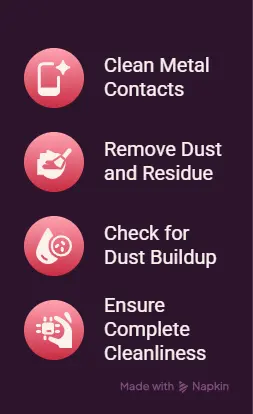
- Clean the metal contacts on both the IQOS holder and the pocket charger.
- Use a dry, soft cloth or cotton swab to remove dust and residue.
- Check for fine dust buildup, which is common in Dubai and across the UAE.
- Make sure the contacts are completely clean before charging the device again.
Second, check the stick itself. If you picked up your TEREA pack from an unfamiliar or unverified seller, a damaged or poor quality stick can sometimes trigger the same red signal as a hardware fault. Switching to a fresh, properly stored TEREA stick rules this out quickly.
Third, if the red light still won’t clear, use IQOS’s own self-diagnostic tool, or contact IQOS support directly through live chat on the official IQOS UAE app. They can confirm whether your device needs a professional look or a replacement under warranty. Read the full guide here: How to Customize Your ILUMA i via the IQOS App
Problem 5: The Light Is Blinking Orange or Yellow
Compared to red, this one is the least worrying of them all, though it still catches people off guard the first time they see it.
The solution:
- Place the IQOS holder in the pocket charger as soon as the orange or yellow light starts blinking.
- Charge the device for about 15 minutes to restore enough power for normal use.
- If the light appears after inserting the holder, leave it in the pocket charger until it has a sufficient charge.
- Wait for the blinking light to stop before trying to use the device again.
- Make it a habit to keep the pocket charger charged to avoid low-battery interruptions.
Problem 6: There’s No Light At All, Even When It’s Plugged In
A completely dark device feels more serious than a blinking one, but it’s often the simplest fix on this list.
The solution: Work through these steps in order.Check whether the device is simply switched off:
- A short press on the button should wake it
- Leave the device charging for up to 20 minutes if the battery is completely drained before checking for indicator lights.
- Remove the holder and reinsert it into the pocket charger correctly.
- Make sure the metal connector is aligned in the correct direction.
- Check that the holder is fully seated in the charger for a secure connection.
If none of this brings a light back, that’s your cue to stop troubleshooting on your own and reach out to official IQOS support, since a dark device that won’t respond to charging or resetting usually needs a technician to look at it.
The Hidden Factors That Influence IQOS ILUMA i Buying Decisions in Modern Markets
Problem 7: Your Device Seems to Warn You More Often Than It Should
If you’ve used IQOS ILUMA in another country before, or you’ve compared notes with friends abroad, you might notice your device throws more warnings here in the UAE.
The solution:
- Keep your IQOS device out of direct sunlight whenever possible.
- Avoid leaving it inside a parked car, especially during hot weather.
- Store the device in a cool, shaded place when you’re outdoors.
- If the device overheats, let it cool naturally at room temperature or in an air-conditioned space.
- Never use ice, a freezer, or a refrigerator to cool the device, as sudden temperature changes can damage it.
- Wait until the device returns to a normal temperature before using it again.
Read the full Terea Storing guide here: Storing TEREA in the UAE Heat: How to Keep Your Sticks Fresh
A Quick Look at Model Differences
Not every IQOS ILUMA device behaves identically, and knowing which one you own helps you read the signals correctly.
The standard IQOS ILUMA and ILUMA Prime use a separate holder and pocket charger, with rounded lights on the holder and strip lights on the charger showing battery percentage in clear steps.
The IQOS ILUMA ONE and ILUMA i ONE combine everything into a single device, so the same light bar covers both charging status and session readiness, and the reset process is done directly on the device rather than through a separate charger.
The newer IQOS ILUMA i series adds app connectivity, which means a white flash after a short button press can sometimes simply mean the device has been locked through the IQOS app rather than signaling an error at all.
Final Thoughts
Most IQOS ILUMA light issues aren’t signs of a broken device. They’re the device simply telling you something it needs, whether that’s a moment to cool down, a quick charge, a clean set of contacts, or a fresh stick. Once you know what each color and pattern actually means, those blinking lights stop being confusing and start being genuinely useful.
If your holder or TEREA sticks are giving you trouble and you suspect the stick itself might be the issue, it’s worth switching to a properly stored, genuine pack rather than guessing. At TEREA Dubai, we stock authentic TEREA sticks and IQOS ILUMA devices with fast delivery across Dubai and the wider UAE, so getting a reliable replacement or a fresh pack is never far away.
Frequently Asked Questions
Why is my IQOS ILUMA still showing orange after I just charged it?
This usually means the charge didn’t fully register. Take the holder out, check that the contacts are clean and dry, then reinsert it firmly so it seats properly.
What does a red light right after a reset usually mean?
Check for a nearby magnet first, since ILUMA’s induction heating is sensitive to it. If there’s no magnet around, clean the contacts and try a fresh, genuine TEREA stick before contacting support.
Can heat alone cause the red light to appear?
Yes. A solid red light often points to overheating rather than a hardware problem. Moving the device to a cooler, shaded spot and letting it rest for a few minutes usually clears it without needing a reset at all.
Does the IQOS ILUMA work with anything other than TEREA sticks?
No. ILUMA devices are built specifically for TEREA (and the newer DELIA and LEVIA sticks). Older HEETS sticks aren’t compatible and can cause errors or damage the device if used.
What should I do if none of these fixes work?
Reach out through the official IQOS UAE live chat or use their self diagnostic tool. If your device is under warranty, they’ll guide you through a replacement or repair.
Note: IQOS ILUMA and TEREA are heated tobacco products intended for adult users only. These products are not risk free and contain nicotine, which is addictive.