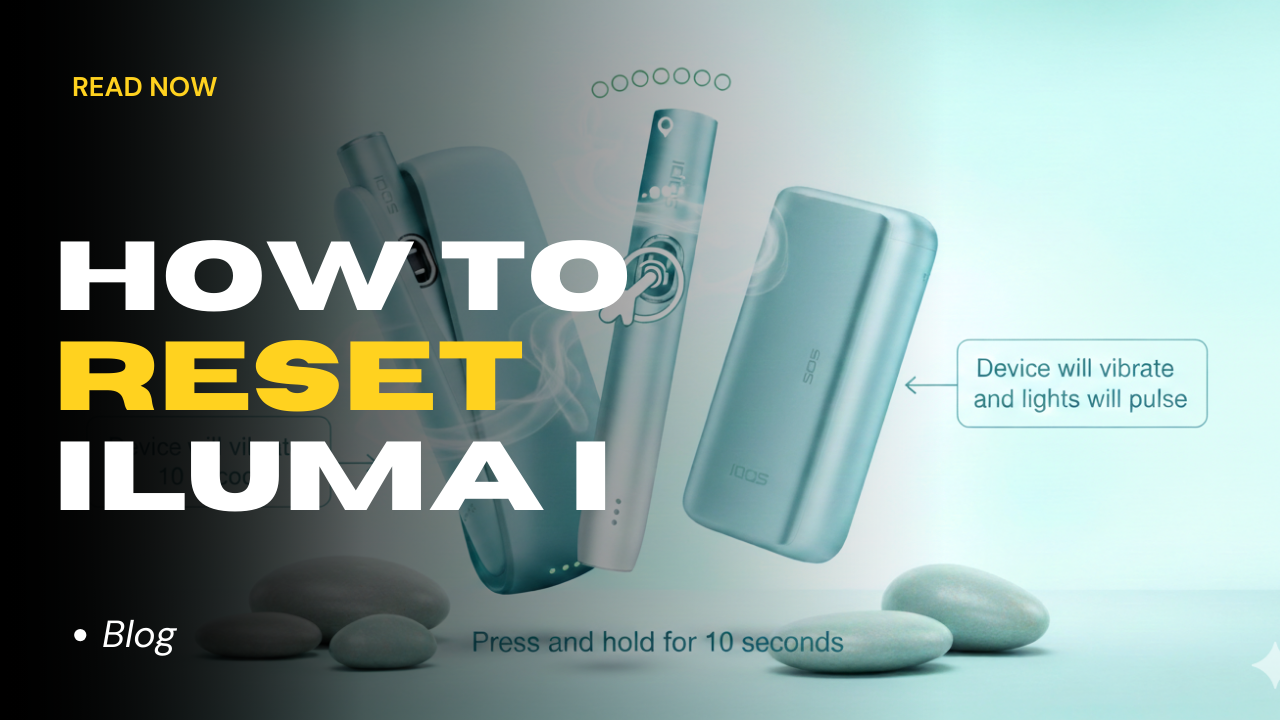
Even the most advanced technology can hit a snag. In the high-heat environment of the UAE, your IQOS ILUMA i might occasionally experience a software glitch, a frozen touch screen, or a persistent blinking red light. Before you head to an IQOS service center in Dubai Mall, there is one trick that fixes nearly 90% of all common problems: The 10-Second Reset.
This guide walks you through the exact steps for the IQOS ILUMA i ONE, ILUMA I Standard, and ILUMA I Prime models to get your device back in perfect working order.
Why Should You Reset Your IQOS ILUMA i?
In 2026, the “i” series features advanced firmware to manage its touch screen and FlexPuff technology. However, factors like extreme heat-to-AC transitions or charging interruptions can cause “software fatigue.”
You need a reset if:
- Red Light Blinking: Your holder or charger is showing a red error signal.
- Unresponsive Touch Screen: You cannot swipe to pause or check puffs.
- Charging Issues: The device is plugged in, but the status lights aren’t progressing.
- Aerosol Quality: You notice a sudden drop in vapor production despite using a fresh TEREA stick.
The 10-Second Fix: Step-by-Step for Every ILUMA i Model
Each model in the ILUMA i family has a slightly different reset protocol. Follow the one specifically for your device.
IQOS ILUMA i ONE (All-in-One Device)
- Ensure no TEREA stick is inside the heating chamber.
- Press and hold the main button for exactly 10 seconds.
- The status lights will fade out.
- Wait: The lights will blink twice and then slowly fade back in.
- Direct Answer: How do I know it worked? Explanation: The device will vibrate once to confirm the reboot is complete.
If you’re curious about that model, see this IQOS ILUMA i ONE page
IQOS ILUMA i Standard & IQOS ILUMA i Prime
Because these models have a separate Holder and Pocket Charger, the reset happens through the charger.
- Place the Holder inside the Pocket Charger. Ensure the contacts are clean and the holder is seated correctly.
- Press and hold the Pocket Charger button for 10 seconds.
- The Touch Screen and status lights will turn off.
- Keep holding until the lights blink white twice and turn back on.
- Direct Answer: Does the Holder reset too? Yes. Explanation: By resetting the Pocket Charger while the holder is inside, you synchronize the software across both components.
If you’re deciding between versions, see the differences between ILUMA I Standard, and ILUMA I Prime
Troubleshooting the “Touch Screen Lag” in the UAE
The new touch screen on the ILUMA i Standard and Prime is highly sensitive. If it isn’t responding to your swipes:
- The Dry Finger Rule: Ensure your fingers are completely dry. Humidity in the UAE can create a thin film of moisture on the screen that blocks touch signals.
- The Full Swipe: Many users “tap” when they should “swipe.” To activate Pause Mode, you must swipe down across the entire length of the screen.
- The Reset: If it still won’t budge, perform the 10-second reset mentioned above to recalibrate the sensors.
If performance drops, see this guide on troubleshooting Iluma i issues.
When a Reset Isn’t Enough: 2026 Red Light Warning
Direct Answer: Is a red light always fixable with a reset? No. Explanation: While most red lights are software glitches, a persistent red light after a reset usually indicates one of two things:
- Temperature Stress: Your device is too hot (above 50°C) or too cold. Let it sit in a room-temperature AC environment for 20 minutes and try again.
- Hardware Fault: If the red light stays on after cooling and resetting, the battery or induction coil may have failed.
If you want to understand how it works, check this explanation of heat-not-burn technology.
Quick Maintenance Tips for UAE Users
To avoid needing a reset in the first place, follow these local “Freshness Rules”:
- Avoid “Car Cooking”: Never leave your IQOS ILUMA i ONE or Prime on the dashboard. The internal metal induction strip can overheat, causing the software to lock the device for safety.
- Clean the Gold Contacts: Use a dry cotton bud to clean the base of the holder and the pins inside the charger. Dust and pocket lint are the #1 cause of charging errors in Dubai.
- Official Power Only: Always use the official IQOS power adaptor. Third-party chargers often provide “dirty” power that confuses the ILUMA i battery management system.
FAQ: Resetting Your IQOS in the UAE
Will resetting my device delete my puff data?
No. A reset only clears temporary software glitches. Your usage history and FlexPuff behavior stay saved in the device’s internal memory.
My device blinks white but won’t heat up. Is it broken?
Usually not. Three white blinks mean the device is outside its safe operating temperature. In hot UAE conditions, this almost always means it needs time to cool down before it can heat again.
Can I reset the device while it’s charging?
Yes. Resetting while plugged in is often recommended if the device feels frozen or unresponsive during charging.
Final Takeaway
The 10-second reset is your first line of defense. Whether you use the portable IQOS ILUMA i ONE or the premium IQOS ILUMA i Prime, a quick reboot solves almost all connectivity and screen issues.
Still having trouble with your device? Browse our latest collection of authentic IQOS ILUMA i models and TEREA sticks on TEREA Dubai with same-day delivery in Dubai and across the UAE!