Charging hiccups, odd indicator lights, and a stick that won’t sit right, these things happen during normal use of any IQOS BONDS device, and none of them automatically mean something’s broken. This guide walks through the ten problems BONDS users run into most often, with practical first-line fixes you can try safely at home.
One thing to be clear about from the start: nothing here involves opening, modifying, or repairing the device yourself. Start with the simple checks. Follow the procedures the manufacturer actually recommends. Stop using the device immediately if it ever gets unusually hot or shows visible damage. And if troubleshooting genuinely doesn’t resolve things, contact official IQOS support rather than pushing further on your own. Indicator meanings, charging specs, and reset procedures can vary by device version and region, so always cross-check anything unfamiliar against the official BONDS documentation for your specific device.
Before You Troubleshoot: 6 Quick Checks
Run through these before diving into any specific problem below.
- Check the battery. Confirm there’s actually enough charge, and connect it to the recommended charging equipment if you’re not sure.
- Check the charging setup. Use the compatible adapter and cable the manufacturer recommends; skip anything questionable or unofficial.
- Check the temperature. Make sure the device hasn’t been sitting somewhere extremely hot or cold, and give it time to return to normal operating conditions first.
- Check for visible debris. Inspect the charging port and other openings, but never use sharp objects or any liquid to clean internal components.
- Check the BLENDS stick. Only use BLENDS sticks designed specifically for BONDS, and never force one in.
- Look at the indicator lights. Note the exact color and flash pattern rather than guessing. The official user guide is the right place to check, not assumptions.
IQOS BONDS Is Not Charging or Charges Too Slowly
- What you’ll notice: The battery level isn’t climbing, charging takes much longer than usual, or the device doesn’t seem to recognize the charger at all.
- Likely cause: Incompatible charging equipment, a damaged cable, debris around the charging port, or a battery that’s extremely low.
- Fix: Use the manufacturer’s recommended adapter and cable, connect directly to a suitable wall outlet where that’s advised, and check the USB-C port for dust or lint. If the device was completely drained, give it a bit of time before expecting it to register properly.
- Stop and contact support if: The device, cable, or adapter gets unusually hot, looks damaged, or smells off, or normal charging still doesn’t come back. As a prevention habit, keep the charging port clean and protect it from moisture.
Red Light or Other Error Indicator Is Flashing
- What you’ll notice: A red light flashing repeatedly, a device that’s not responding the way it should, or a session that just won’t start.
- Likely cause: A temporary system error, an operating condition outside normal range, or occasionally a firmware issue.
- Fix: Your first move should be the official reset procedure for your specific BONDS model and firmware. If the applicable guide confirms a 10-second reset, follow it exactly, and let the device fully complete the reset before trying another session. Don’t try to guess what an LED pattern means; always check the official BONDS indicator guide for the exact color and flash sequence you’re seeing.
- Stop and contact support if: The same error keeps coming back after a proper reset, multiple errors show up at once, or the device goes completely unresponsive.
IQOS BONDS Automatically Enters Cool-Down Mode
- What you’ll notice: The device temporarily blocks another session, and the lights show a cooling sequence.
- Likely cause: The device is managing its own temperature after several sessions back to back, not a malfunction.
- Fix: Let the cool-down period finish naturally; don’t try to bypass or rush it.
- Worth knowing: A single cool-down after a few sessions is expected behavior. If you’re seeing unusual cooling behavior repeatedly during completely normal use, that’s worth checking with official support.
White Lights Flash or the Device Won’t Operate in Certain Temperatures
- What you’ll notice: Flashing lights, heating that won’t start, or operation that changes after exposure to very cold or hot conditions.
- Likely cause: The device is sitting outside its recommended operating temperature range.
- Fix: Move it somewhere with a reasonable indoor temperature, give it time to adjust gradually, then try again once conditions are suitable.
- Avoid: Placing it against a heater, cooling it quickly with a fridge or freezer, or exposing it to sudden temperature swings in either direction. The manufacturer documents a specific operating range for BONDS; confirm the exact figures against the official guide for your device.
Battery Is Too Low to Start a Session
- What you’ll notice: The device indicates insufficient battery, heating won’t begin, or it seems to work but won’t actually start a session.
- Likely cause: The battery simply hasn’t reached the level needed for operation.
- Fix: Connect it to the recommended charger, let it charge until the device shows sufficient battery, then try again.
- Worth knowing: Don’t automatically assume a specific yellow, orange, red, or white flash pattern means “low battery” without checking the exact code in the official documentation; LED meanings can shift between device versions and firmware. As a prevention habit, recharge before the battery gets critically low rather than waiting until the last moment.
A BLENDS Tobacco Stick Is Difficult to Insert
- What you’ll notice: A stick that won’t slide in smoothly, unexpected resistance, or a stick that doesn’t seem to sit right.
- Likely cause: Insertion technique, debris in the area, or a damaged or unsuitable stick.
- Fix: BONDS is built specifically for compatible BLENDS tobacco sticks; don’t substitute something incompatible. Follow the actual insertion and heating sequence the manufacturer documents for your device. Never push, twist, bend, or repeatedly force a stick to overcome resistance. If insertion stays difficult, stop and inspect the device following the official cleaning guidance.
- Stop and contact support if: A properly compatible stick repeatedly won’t insert, the device looks physically damaged, or the problem continues even after cleaning.
Weak Vapor or Less Flavor Than Expected
- What you’ll notice: Weaker vapor, muted flavor, or performance that varies between sessions.
- Likely cause: Residue, incorrect insertion, a damaged consumable, an incompatible stick, or the device’s temperature and battery condition at the time.
- Fix: Try a fresh, compatible BLENDS stick, confirm it’s inserted correctly, check for visible residue, clean only according to the manufacturer’s instructions, and make sure the battery has adequate charge.
- Worth knowing: Different BLENDS variants naturally taste different from each other, a change in perceived flavor doesn’t automatically mean something’s wrong with the device. If you’re not sure whether what you’re tasting is just the variant itself, our breakdown of what each BLENDS flavor actually tastes like is worth a look before you assume it’s a fault.
- Stop and contact support if: Performance stays consistently poor with fresh, compatible sticks and normal battery and temperature conditions.
IQOS BONDS Is Completely Unresponsive
- What you’ll notice: No lights at all, a power button that seems to do nothing, or no reaction to normal controls.
- Likely cause: A completely depleted battery, a device that’s simply switched off, or a temporary system issue.
- Fix: Try the manufacturer’s documented power-on procedure, connect to the recommended charger, and give a fully drained device time to register a charge before trying the power-on sequence again.
- Stop and contact support if: There’s still no response after that. Don’t open the device, don’t attempt an internal battery swap, and don’t try any unofficial repair method; contact official IQOS support or an authorized service location instead.
IQOS BONDS Gets Unusually Hot Near the Base or Charging Port
- What you’ll notice: Excessive heat around the charging area, different from the mild warmth that’s normal during use.
- Likely cause: A charging equipment problem, debris or damage around the port, environmental heat, or in rarer cases, an internal fault.
- Fix: Stop using it right away, disconnect from the charger, move it away from any heat source, and let it cool naturally. Inspect the exterior and charging port for visible damage or debris once it’s cooled.
- Avoid: Continuing to charge a device that’s unusually hot, taking it apart, or attempting to repair internal electronics yourself.
- Stop and contact support if: This keeps happening, heat shows up during completely normal charging, or you notice visible damage, smoke, or an unusual smell.
IQOS BONDS Freezes After an Update or Extended Use
- What you’ll notice: Controls that stop responding, unexpected behavior, or a problem that starts right after a software or firmware update.
- Likely cause: A temporary software or firmware issue.
- Fix: Follow the official reset procedure, let the device restart fully, and check whether normal operation comes back.
- Stop and contact support if: The problem sticks around. Don’t attempt unofficial firmware flashing and don’t install anything unofficial; Contact official IQOS support for proper diagnostics and ask directly whether the device needs a software or firmware service.
IQOS BONDS Maintenance: How to Prevent Common Problems
Keep the charging port clean, check periodically for lint or dust, and never insert anything sharp or let moisture near it. Clean the device and heating area using only the manufacturer’s recommended method, carefully remove accessible residue, and never force a cleaning tool into sensitive components.
Stick to compatible BLENDS tobacco sticks; don’t force a damaged or misshapen one into the device. Use the charging equipment the manufacturer recommends, and skip anything that looks even slightly damaged or questionable. Store and operate the device within the recommended temperature range; don’t leave it in direct sunlight, a hot car, or freezing conditions.
And don’t attempt DIY internal repairs, full stop. BONDS contains electronic and battery components, and opening or modifying it creates real safety risks and can affect warranty or service eligibility.
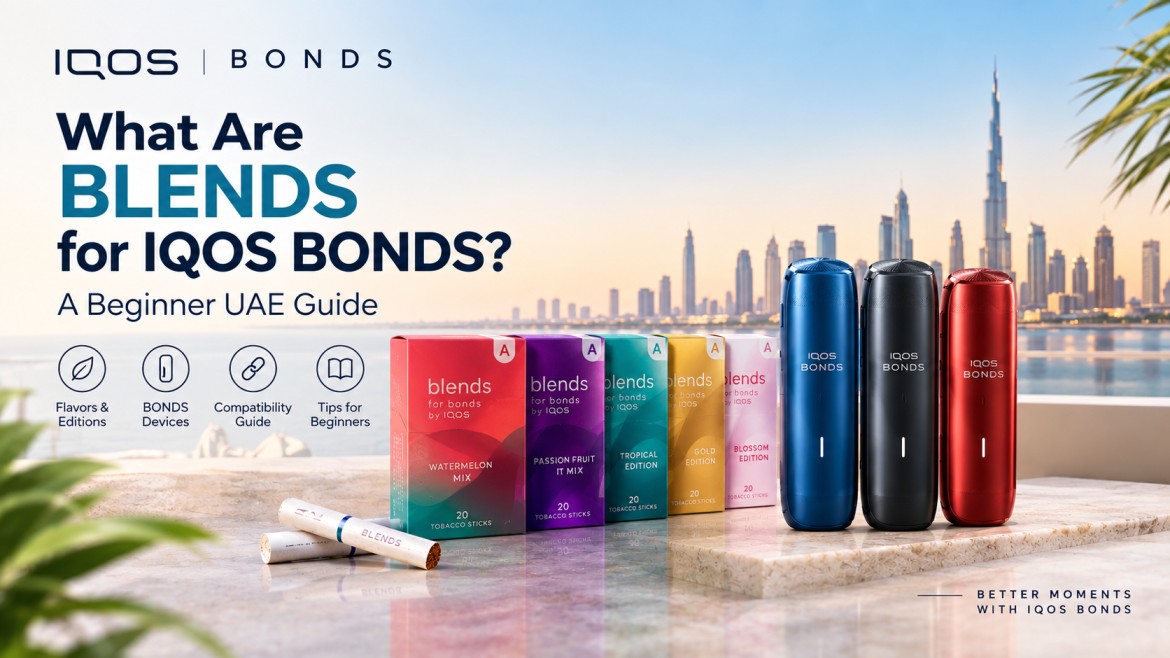
BLENDS Tobacco Stick Options for IQOS BONDS
Availability and exact naming can shift by market, so don’t assume every variant below is sold everywhere. If you’re new to the BONDS ecosystem altogether, our beginner’s guide to BLENDS for IQOS BONDS is a good starting point before you pick a variant.
If you want a sense of how these actually taste before picking one, our breakdown of what each BLENDS flavor actually tastes like is worth reading alongside this list.
BONDS by IQOS Color Options
BONDS currently comes in Cosmic Black, Ruby Red, and Ocean Blue. Treat color purely as a selection detail; it has no bearing on performance. Don’t assume different colors need different troubleshooting steps; they don’t, unless official documentation says otherwise for a specific issue.
When Should You Stop Troubleshooting and Contact IQOS Support?
Reach out to official support if the device repeatedly shows an error even after a proper reset, charging stays unreliable with equipment you know is compatible, the device gets unusually hot, the casing or charging port is visibly damaged, the device stays completely unresponsive, a compatible BLENDS stick keeps failing to insert correctly, a software issue persists after the recommended reset, or the device behaves unpredictably in any other way.
Don’t open the device. Don’t replace the internal battery yourself. Don’t modify the firmware. Don’t use an incompatible charger to try to force a charge. Don’t force a tobacco stick in. And don’t keep using a device that shows serious damage or abnormal overheating; that’s not a risk worth taking.
IQOS BONDS Troubleshooting FAQ
Why is my IQOS BONDS not charging?
Usually, battery depletion, a charging equipment issue, a damaged cable, or debris in the charging port can cause charging problems. If normal charging doesn’t return, contact support.
Why is my IQOS BONDS blinking red?
The exact meaning depends on the documented sequence for your specific device version. Check the official indicator guide rather than guessing based on a general assumption.
How do I reset IQOS BONDS?
Follow the manufacturer-approved reset procedure for your exact BONDS version rather than relying on an unverified universal sequence.
Why won’t my IQOS BONDS start a session?
Check the battery level, operating temperature, indicator status, and whether the device has entered a cool-down mode. Also, confirm that you followed the correct operating steps.
Which tobacco sticks work with IQOS BONDS?
BONDS is built for compatible BLENDS tobacco sticks specifically. Avoid using sticks that are not designed for the device.
Why is my IQOS BONDS producing weak vapor?
Check the freshness and compatibility of your BLENDS stick, confirm correct insertion, inspect for residue, and make sure the battery and temperature conditions are normal.
Why is my IQOS BONDS getting hot?
Mild warmth during normal use is expected. Excessive heat is not. Disconnect the device, let it cool, and contact support if the issue continues.
Why won’t my BLENDS stick insert properly?
The issue may be related to compatibility, insertion technique, or visible residue. Never force the stick into the device. Stop and inspect it instead.
Can I repair IQOS BONDS myself?
No. Don’t open or modify the device. Use official support for any persistent hardware or software fault.
How can I prevent IQOS BONDS problems?
Keep the device clean, charge it properly, store it within the recommended temperature range, and consistently use compatible BLENDS tobacco sticks.
Final Takeaway: Solve Simple Problems Safely
Start with the basics every time: battery, charging, temperature, consumable compatibility, cleanliness, and indicator status. Use BLENDS sticks built specifically for BONDS, and follow the official instructions for resets, charging, insertion, and indicator meanings rather than guessing. Never attempt DIY internal repairs, and treat persistent errors or unusual overheating as a clear signal to contact official support rather than push forward alone.
Good routine maintenance genuinely prevents a lot of these problems before they start. For the full IQOS BONDS lineup and every BLENDS edition covered in this guide, TEREA Dubai carries the complete range in the UAE.
This product contains nicotine, which is an addictive chemical. For use by adults only.